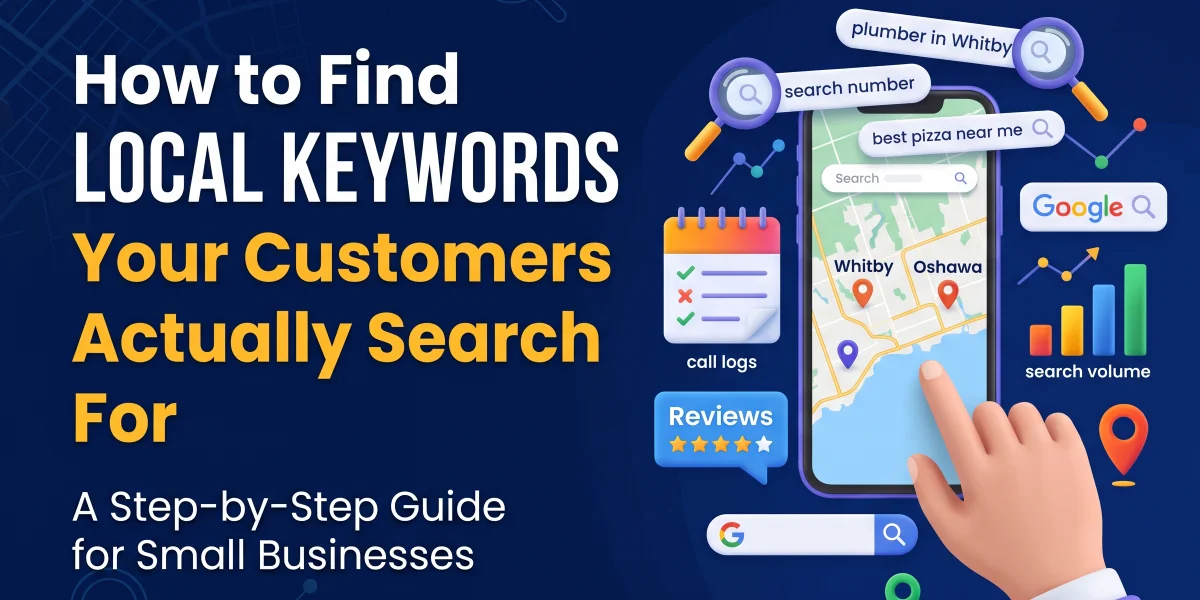
Local keywords are the exact phrases people near your shop or office type into Google when they need what you sell, things like “plumber in Whitby” or “best pizza near me.” You find them by mixing customer language (call logs, FAQs, reviews), free tools like Google Keyword Planner set to your city, and your own Google Business Profile search data. The goal isn’t guessing. It’s confirming real demand before you build a page around it.
Key Takeaways
- Local keywords combine a service or product with a place, a neighbourhood name, or the phrase “near me.”
- Your own customers already tell you the right words. Listen to phone calls, emails, and reviews before opening any tool.
- Google Keyword Planner, set to your city or a custom radius, is still the free starting point for real local search volume.
- Google Business Profile’s Performance report shows the exact searches that led someone to click on your listing.
- Long-tail local keywords (four or more words) usually convert better and have far less competition.
- Neighbourhood-level keywords work best once you already rank for your city. Don’t skip straight there.
- Stuffing a page with city names hurts more than it helps. One or two natural mentions per page is plenty.
- Multiple cities only make sense once your main service area is ranking well and you have separate pages ready.
What Are Local Keywords and Why Do They Matter for Your Business
Local keywords are search phrases that include a place name or a local intent signal like “near me,” paired with a service or product. If you run a service business in the Durham Region, this is the difference between someone finding a national chain and finding you.
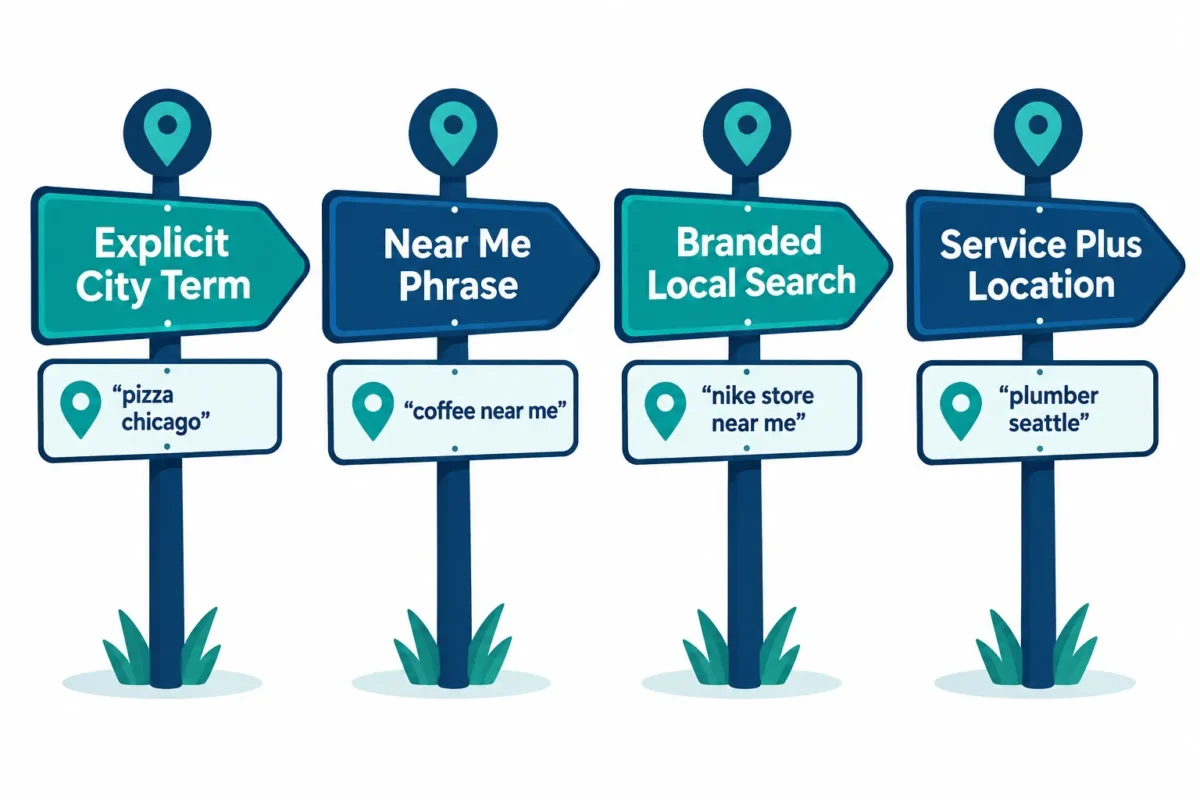
Search behaviour research groups local keywords into four buckets, and knowing them helps you cover your bases instead of guessing at one type:
- Explicit local: the city, neighbourhood, or ZIP/postal code is right in the search, like “electrician Oshawa.”
- Implicit local: words like “near me,” “nearby,” or “downtown” signal location without naming one, and Google fills in the gap using the searcher’s device.
- Branded local: your business name plus a location modifier, often typed by someone who’s already heard of you.
- Service plus location: the combination most small businesses chase, such as “water heater repair Ajax.”
This four-part breakdown is a widely used baseline for understanding local keyword types.
Local keywords matter because they attract people who are ready to buy nearby, not just browse. A homeowner searching “roof repair Bowmanville” is closer to calling than someone searching “how roofs work.” That’s the traffic that actually turns into a phone call.
How Local Keywords Differ From Regular Keywords
Regular keywords target information or national demand. Local keywords target people close enough to walk in, call, or book you today.
A term like “digital marketing tips” pulls in readers from anywhere and rarely leads to a sale for a small Durham Region business. A term like “affordable website design Durham Region” pulls in a business owner who’s actually looking to hire someone nearby, this week. That’s a smaller number of searches, but a much higher chance of turning into a real lead.
Decision rule: if the keyword could apply to someone in another province and get them nothing useful from your business, it’s not a local keyword worth chasing.
How Do I Find Local Keywords My Customers Are Searching For
Start with the words your customers already use, not the words you assume they use. Then confirm those words have real search demand using free tools.
Here’s the process I actually use for client sites:
- Collect real customer language first. Have staff jot down exactly how callers describe their problem. Pull common phrases from emails, FAQs, and Google reviews. Guides on this topic consistently point to mining real customer wording as step one, before ever opening a keyword tool.
- Turn those phrases into 3 to 5 seed keywords based on your core services.
- Run them through Google Keyword Planner, switching the location filter from “Canada” down to your city or a custom radius, which surfaces the localized volume and competition numbers you actually need, a step nearly every current keyword playbook recommends.
- Check Google Autocomplete and “related searches” for those same terms. Type the phrase, don’t hit enter, and screenshot what Google suggests.
- Search the term yourself and study the top five results that aren’t directories, looking at their titles and headings to see what pattern is already working.
Best Tools to Research Local Search Terms
You don’t need a big budget to do this properly. A handful of tools cover almost everything a local service business needs.
| Tool | Best for | Cost |
|---|---|---|
| Google Keyword Planner | Location-filtered search volume | Free with a Google Ads account |
| Google Business Profile | Real search terms already reaching you | Free |
| Google Search Console | Actual queries triggering clicks | Free |
| Semrush or Ahrefs | Seasonal demand shifts | Free |
| Answer The Public | Question-style long-tail ideas | Free tier |
A recent comparison of nine local keyword tools found the strongest results come from pairing a free foundation with one paid competitor tool, rather than relying on a single platform.
Choose Google Keyword Planner and Google Business Profile if you’re just starting out and want zero cost. Add Semrush or Ahrefs if you’re already ranking decently and need to see exactly what’s working for competitors.
How to Use Google Maps and Google Business Profile for Local Keyword Research
Your Google Business Profile already contains a list of the exact terms people typed to find you. That’s about as verified as local keyword data gets.
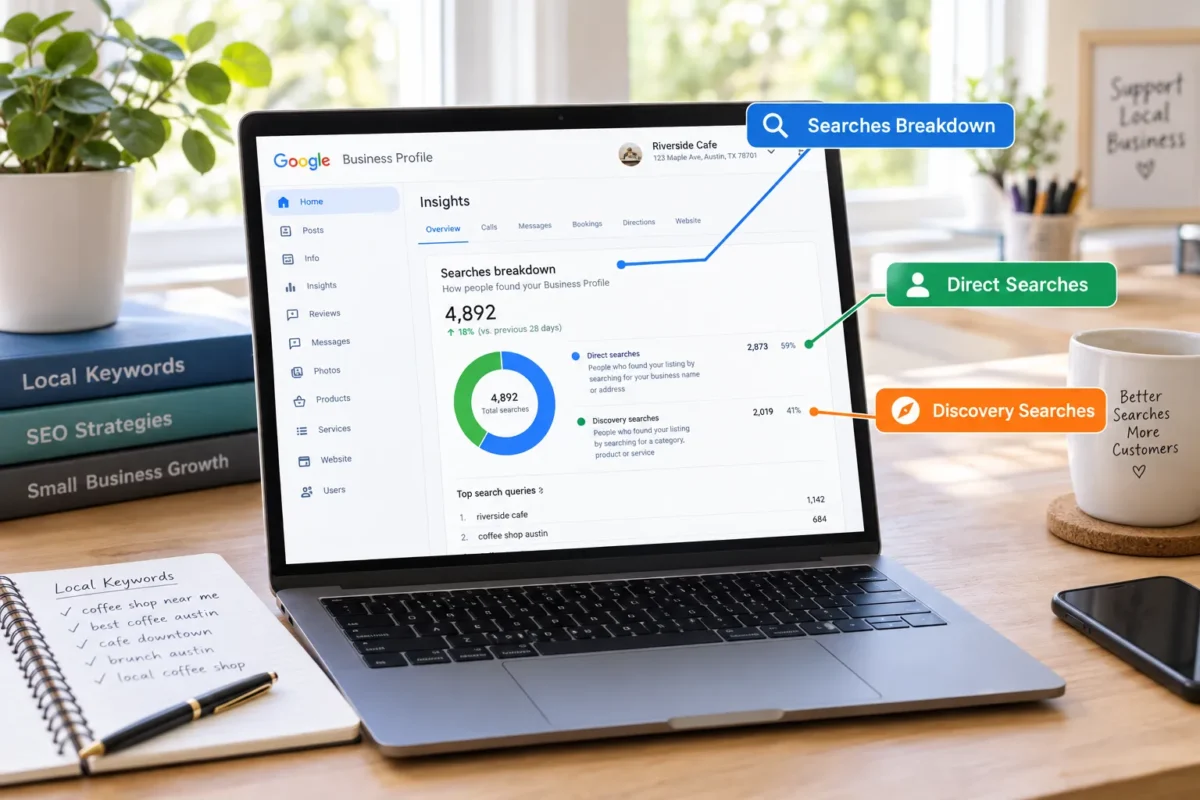
Open your Performance report and check the Searches breakdown, which separates the searches that found you directly (they searched your name) from the ones that found you through discovery (they searched a service or category term). This built-in data is one of the most reliable sources because it’s pulled straight from real searchers who already found your listing.
Also search Google Maps yourself using service+city terms and note which businesses show up in the map pack. Their category tags and business descriptions often hint at the exact phrases Google associates with ranking there.
Local Keyword Research for Small Businesses on a Budget
You can do all of this without paying for a single tool. Free tools cover 80 percent of what a small service business needs.
- Use Google Keyword Planner and Google Business Profile, both free.
- Read your own Google reviews for exact customer phrasing.
- Check “People also ask” boxes and autocomplete suggestions.
- Search your top three competitors and note their page titles.
This is exactly the low-cost approach I use when building affordable WordPress websites for service businesses in Oshawa and Durham Region. You don’t need a $500-a-month tool subscription to figure out what your neighbours are typing into Google.
How Do I Know If a Local Keyword Has Enough Search Volume
A local keyword has “enough” volume if it brings in searches that are realistic for your service area’s population, not national-level numbers. For a town of 50,000 to 150,000 people, even 10 to 50 monthly searches on a specific service term can be worthwhile if the intent is strong.
Current guides recommend judging a keyword against three or four filters before committing a page to it, weighing search volume, competition level, and intent match together rather than volume alone. Some also factor in seasonal spikes using Google Trends.
Common mistake: rejecting a local keyword because Keyword Planner shows “0-10” monthly searches. For a small town, that’s often still worth targeting if the searcher intent is clearly buy-ready.
City Keywords vs Neighbourhood Keywords: What’s the Difference
City keywords target your whole service area (“roofer Oshawa”). Neighbourhood keywords target a smaller pocket inside it (“roofer Kedron” or “roofer Lakeview”).
City-level terms usually have more search volume and more competition. Neighbourhood terms have less volume but far less competition, and they convert well because the searcher is hyper-local.
Choose city keywords if you’re building your first few local pages. Choose neighbourhood keywords if you already rank for your city and want to fill in gaps or dominate a specific pocket of town.
How to Find Long-Tail Local Keywords With Low Competition
Long-tail local keywords are four-plus word phrases that combine a service, a detail, and a location, like “emergency plumber open Sunday Whitby.” They’re easier to rank for and they attract people much closer to booking.
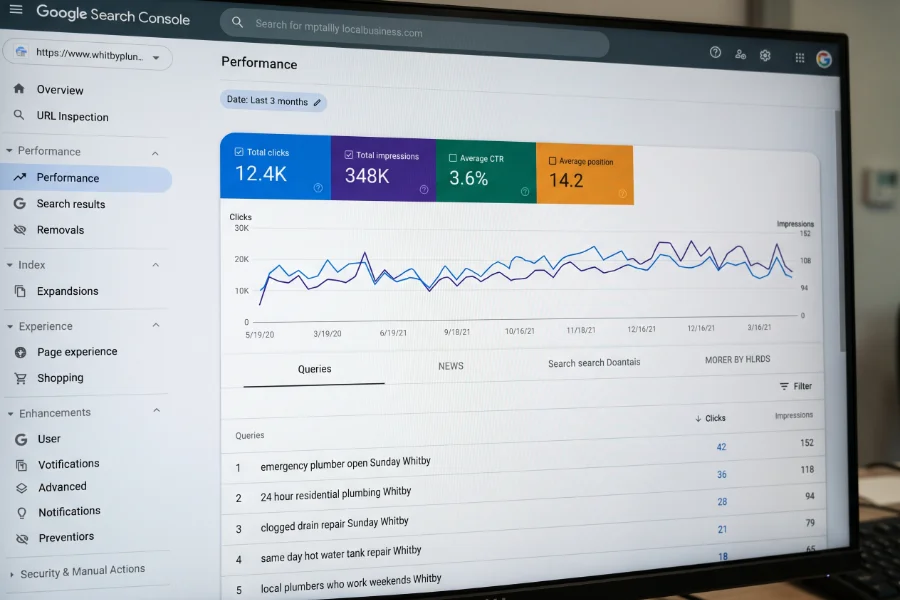
Ways to find them:
- Pull exact question phrasing from your customer enquiries and reviews.
- Check the “People also ask” and “Related searches” boxes on Google.
- Look at Google Search Console’s Queries report for long, odd phrases already bringing you a click or two.
- Add a qualifier your competitors ignore, like “same day,” “24 hour,” or a specific brand you service.
How to Optimize for Local Keywords Without Keyword Stuffing
Optimizing for local keywords means placing them naturally in a few key spots, not repeating your city name in every paragraph. One or two natural mentions per page, plus your title tag, H1, and meta description, is enough.
Good spots to place a local keyword:
- Page title and H1
- First 100 words of the page
- One image alt text
- A closing call-to-action (“Serving [City] and surrounding areas”)
Common mistake: writing “best [service] in [city], top [service] company in [city], affordable [service] near [city]” back to back. That reads like spam to both readers and Google, and it can hurt rankings instead of helping them.
Should I Target Multiple Cities or Focus on One Area
Focus on one primary service area first, then expand once that area is ranking well and you can support each new city with its own dedicated page. Multi-location guidance suggests starting with 10 to 20 primary keywords per location before layering in neighbourhood terms, rather than spreading thin across many towns at once with one shared page.
Edge case: if your service area naturally spans two connected towns (say, Whitby and Oshawa), you can build separate pages for both from day one, as long as each page has genuinely unique content, not a copy-paste with the city name swapped.
How Do Local Keywords Affect Google Maps Rankings
Local keywords influence your Google Maps ranking by helping Google match your business description, categories, and website content to what searchers are typing. Google Maps ranking also weighs proximity, reviews, and profile completeness, but keyword relevance is still a core input.
Make sure your Google Business Profile category, business description, and services list all use the same core service words your customers search for. Mismatched wording between your website and your profile can quietly cost you map pack visibility.
Common Mistakes With Local Keyword Targeting (and Keywords to Skip)
The biggest mistake is guessing at keywords instead of checking real search data. The second biggest is chasing broad, high-competition city terms before your site has any authority to rank for them.
Other mistakes to avoid:
- Ignoring your own Google Business Profile search data, which is free and already verified.
- Targeting keywords with no clear local or commercial intent, like generic industry terms with no city or service attached.
- Building ten near-identical location pages with swapped city names and nothing else different.
- Chasing a keyword just because it has high volume, even when it’s dominated by national directories you’ll never outrank.
Skip keywords that are purely informational with zero buying intent, or that only make sense for a completely different industry than yours, even if the volume looks tempting.
Frequently Asked Questions
What is a local keyword in simple terms? A local keyword is a search phrase that pairs a service or product with a place, a neighbourhood, or “near me,” used by someone looking for a business close to them right now.
How many local keywords should a small business page target? One primary local keyword per page, with one or two closely related variations, is enough. Trying to rank one page for ten different city and service combinations usually backfires.
Is Google Business Profile data more reliable than keyword tools? Yes, for confirming what already brings people to your specific business. It’s real search data from actual customers, though it won’t show broader demand a keyword tool can reveal.
Do I need a paid tool to find local keywords? No. Google Keyword Planner, Google Business Profile, and Google Search Console are free and cover most of what a small service business needs to start.
Should I include AI search behaviour in my keyword research? It’s worth considering. Some 2026 guidance now recommends thinking about the full conversational questions customers ask AI tools, not just short keyword phrases, since AI-powered answers are becoming another way people find local businesses.
How often should I revisit my local keyword list? Every 6 to 12 months, or sooner if you add a new service, open in a new town, or notice a seasonal shift in what customers are searching for.
Conclusion
Finding local keywords isn’t about fancy tools. It’s about listening to how your customers actually talk, then checking that language against real search data before you build a page around it. Start with your own reviews and call logs, confirm demand with Google Keyword Planner and your Google Business Profile, then write naturally, one or two local mentions per page, not ten.
If this feels like one more technical task on top of running your business, that’s exactly the gap I fill. I build affordable WordPress websites and handle local SEO and WordPress Maintenance for service businesses across the Durham Region, with no technical jargon and no big agency price tag. My focus is simple: help you convert locally with a local online presence that actually brings in leads. If you’d like a second set of eyes on your local keyword strategy, reach out and let’s talk about your business.

Larry is a local web designer located in Oshawa, Ontario. He specializes in building WordPress websites for service-based businesses in Durham Region, and is committed to helping his clients outrank their competition.